
Site inspection
SiteReport
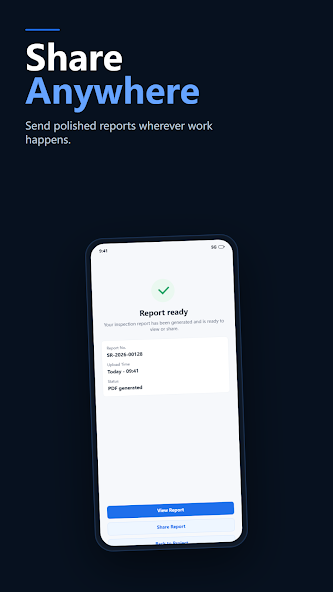
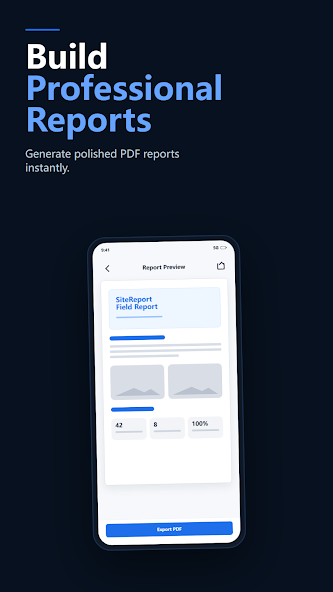
For inspectors, contractors and facilities teams. Follow checklists, keep photos and optional GPS with each finding, then turn a site visit into a shareable PDF report.
FlowTools · Focused Android apps
From field inspections and photo metadata to offline AI and personal music, each app focuses on a defined task and helps you finish it with fewer steps.
Choose an app
Start with the situation and outcome, then open a product page for complete features, privacy details and Google Play installation.
Site inspection
For inspectors, contractors and facilities teams. Follow checklists, keep photos and optional GPS with each finding, then turn a site visit into a shareable PDF report.
Photo metadata
For photographers and content teams. Batch-edit IPTC, EXIF and XMP details on Android so photos are organized sooner for upload, delivery or archive.

Music player
For people who manage their own music collection. Browse local tracks and selected cloud sources in one focused library, with device music available offline.

Field photography
For field technicians and photo teams. Keep location and structured metadata with each image, then deliver prepared field media into a configured workflow.

Offline photo AI
For large photo libraries and privacy-conscious users. Find similar images and use practical photo tools with on-device AI, without sending the full library to a remote search service.
FAQ
Current pricing, compatibility and permissions are shown on Google Play.
Several apps support offline or on-device core workflows, including SiteReport field records, CaptionMeta metadata editing, Pixora photo AI and local music playback. Uploads, sharing, cloud sources or model downloads may still require a connection.
The apps do not share a required FlowTools account. A cloud source or external service you choose to use may require its own sign-in.
Pricing, free features and in-app purchases may vary by product and region. Check the relevant Google Play listing for current pricing and purchase details before installing.
Each app is distributed for Android through Google Play. Google Play shows current compatibility for your device; check the individual store listing for the latest requirements.
Core workflows prioritize processing on the device. Content may be sent to a service you select only when you use an upload, sharing, cloud-source or external-delivery feature. Review each product privacy page and its Google Play Data safety disclosure.
Choose an app below and select its Google Play badge to open the official store listing, where you can review compatibility, pricing, permissions and install it.
Product principles
Each app is built around a defined task, without unrelated clutter.
Local and offline processing is preferred where the workflow allows it.
From metadata to PDF, outputs are prepared for the next step.
The studio
FlowTools is the Android software brand of AndroidManTou, publishing independent tools for professional workflows and everyday use.
About the studio